.png)
Your Doctors & Medications
Always at Your Fingertips
Never scramble for a doctor's phone number or forget a medication dose again. Keep all your healthcare providers and prescriptions organized in one secure place.
Start Organizing Free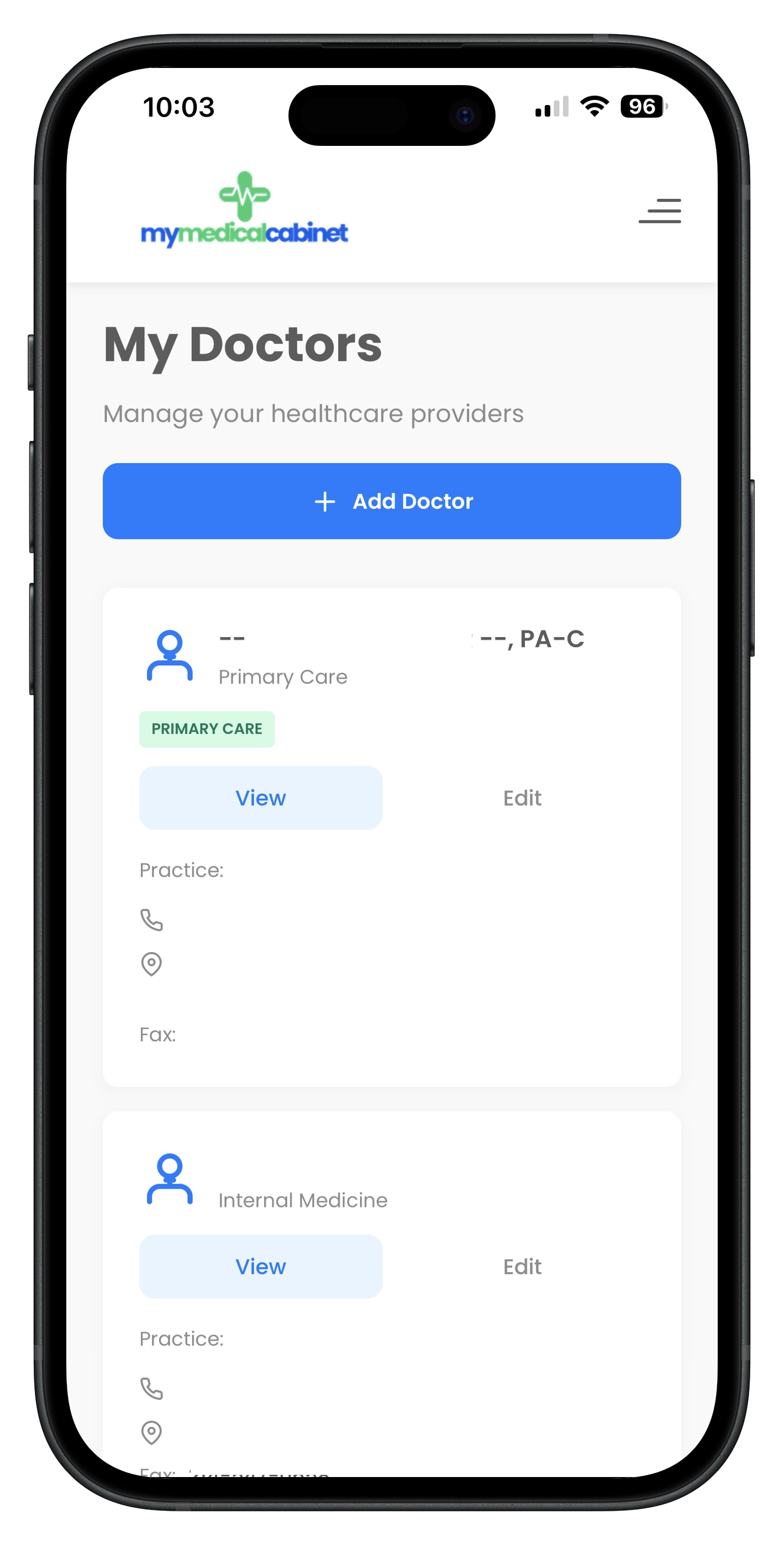
All Your Healthcare Providers & Prescriptions, Organized
Between primary care, specialists, dentists, and therapists, most people see multiple healthcare providers. Remembering who prescribed what, which office to call for refills, and what medications you're currently taking becomes a challenge — especially during emergencies or when visiting new doctors.
MyMedicalCabinet's doctor directory connects to the NPI (National Provider Identifier) database, so you can search for any provider by name, specialty, or location and add them with their contact info auto-populated. Click-to-call phone numbers and one-tap directions mean you're always one touch away from reaching your doctor.
For medications, track every prescription with dosage, frequency, prescribing doctor, pharmacy details, and refill information. Search the FDA drug database directly within the app to access official drug information, warnings, and potential interactions.
- Search and add doctors with NPI database lookup
- Click-to-call phone numbers and one-tap directions
- Track medications with dosage, frequency, and refill info
- Search the FDA drug database for drug details and warnings
- Link prescriptions to prescribing doctors automatically
How Doctor & Medication Tracking Works
Add Your Providers
Search the NPI database by name, specialty, or location. Select your doctor and their contact info, specialty, and address are auto-populated instantly.
Log Your Medications
Add each medication with dosage, frequency, prescribing doctor, and pharmacy. Search the FDA drug database for official drug information and warnings.
Access Anytime
All your doctors and medications are always at your fingertips. Call your doctor, get directions, or check medication details — all from one screen.
Frequently Asked Questions
How do I add a doctor to MyMedicalCabinet?
You can add a doctor by searching the NPI (National Provider Identifier) database directly within the app. Search by name, specialty, or location, and the doctor's contact information, specialty, and address are auto-populated. You can also manually enter doctor information if preferred.
Can I track medication dosages and refill schedules?
Yes. For each medication, you can record the dosage, frequency, prescribing doctor, pharmacy, start date, and any notes. The app helps you keep track of when refills are due and maintains a complete medication history.
Does MyMedicalCabinet connect to the FDA drug database?
Yes. When adding medications, you can search the FDA drug database to find your medication and access official drug information including uses, warnings, side effects, and interactions. This helps ensure you have accurate information about every medication you take.
Can I call my doctor directly from the app?
Yes. Each doctor's profile includes click-to-call phone numbers and directions links. Tap the phone number to call directly, or tap the address to open directions in your maps app. All your doctors' contact information is always at your fingertips.